






Start with chat
and scale AI as needed
Leverage four full-stack capabilities as needed.
HyperWorks connects every stage of AI usage
into a single platform.
Step 1
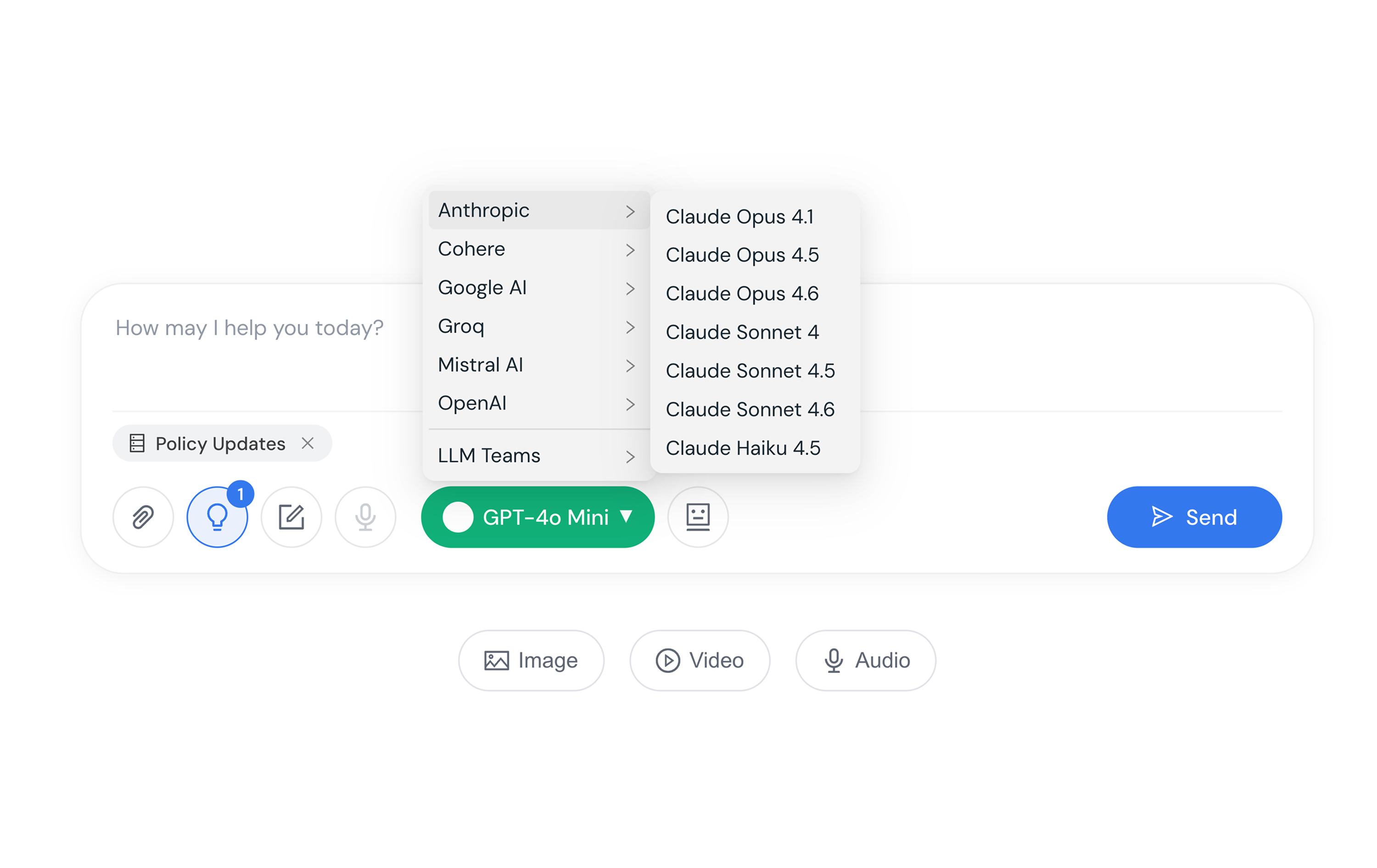
Enterprise Super Chat
An enterprise-ready chatbot that can be deployed across your organization
instantly, integrating over 56 AI models into a single unified interface.
Step 2
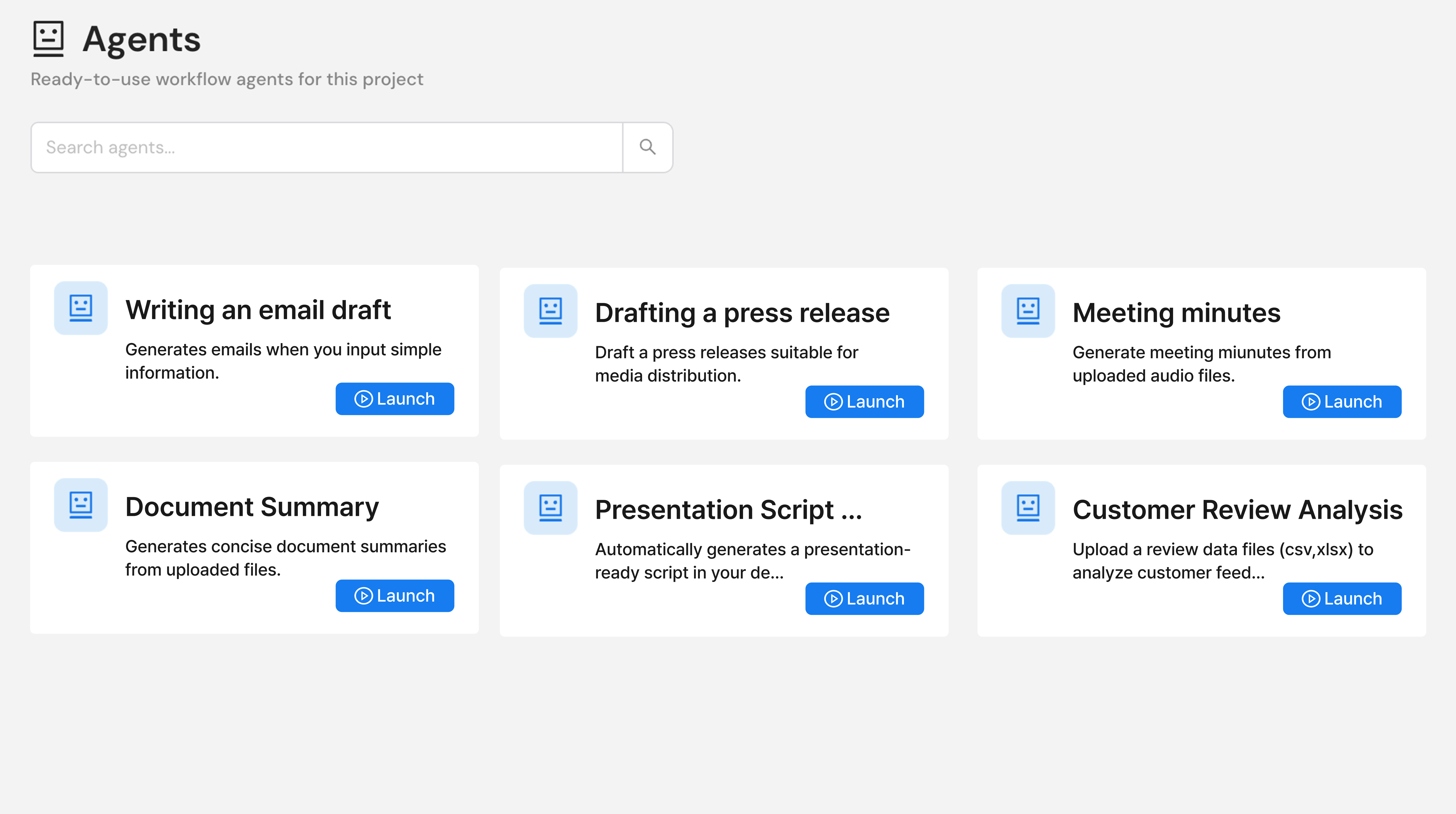
Agents
AI agents designed to handle repetitive tasks,
helping streamline and support your day-to-day operations.
Step 3
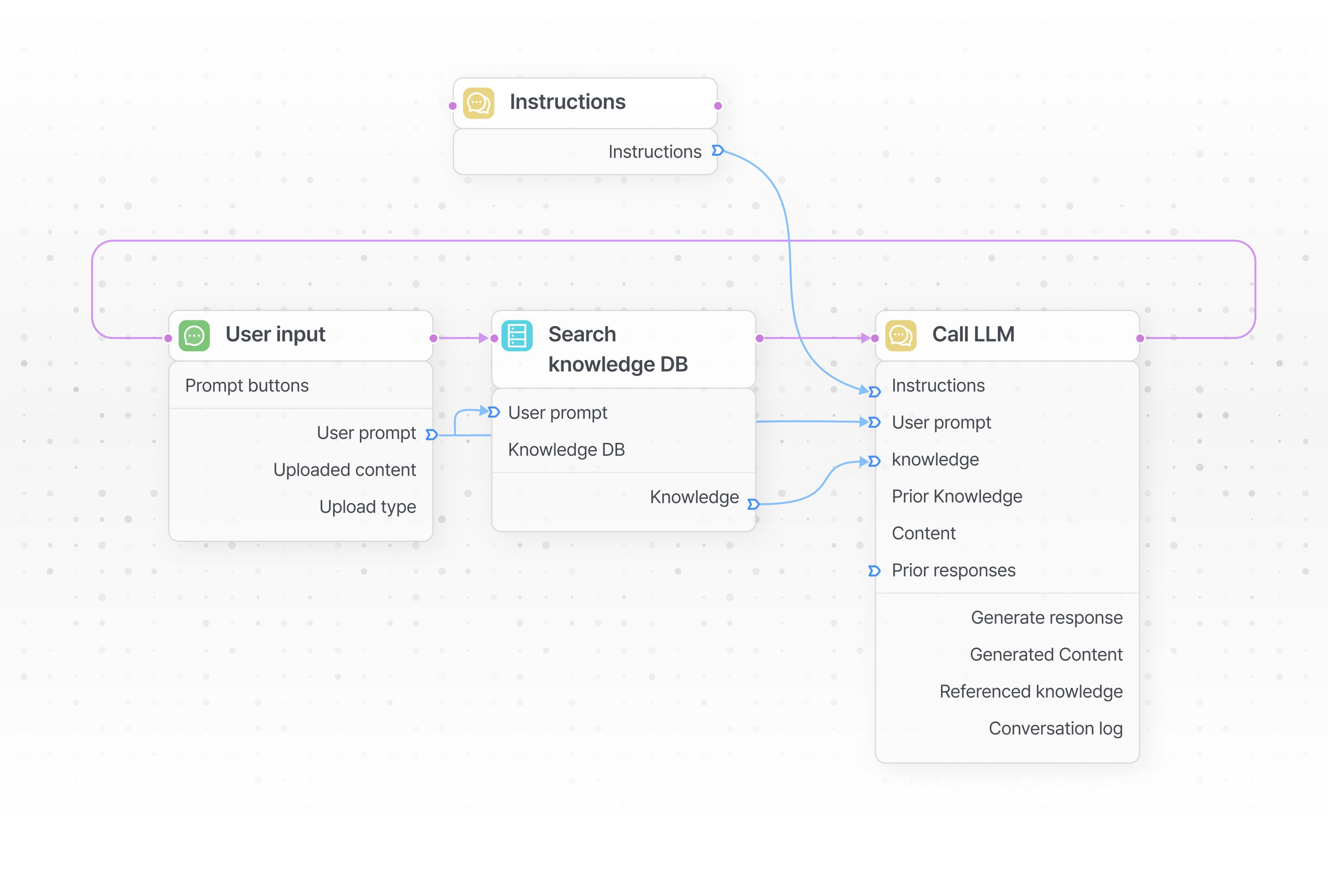
Workflow
If the agent you need doesn’t exist, design and customize your own,
to build solutions optimized for your organization and workflows.
Step 4
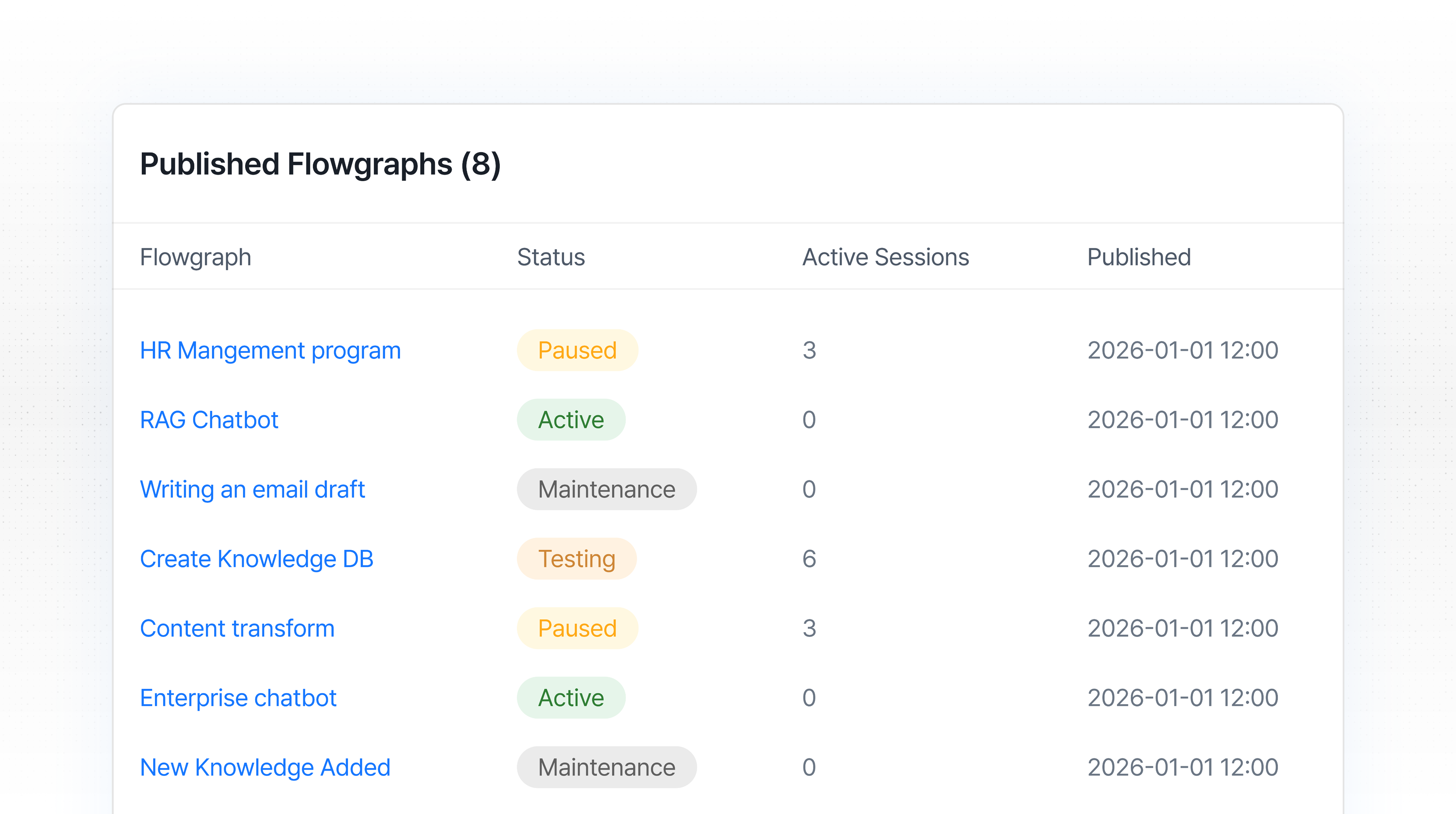
Deployment & Operations
Deploy your completed agents as AI services with just one click,
and start operating immediately—bridging AI directly into real business workflows.
Core features of HyperWorks
built step by step
HyperWorks enables purpose-driven AI usage by providing
the necessary features at each stage of AI utilization.
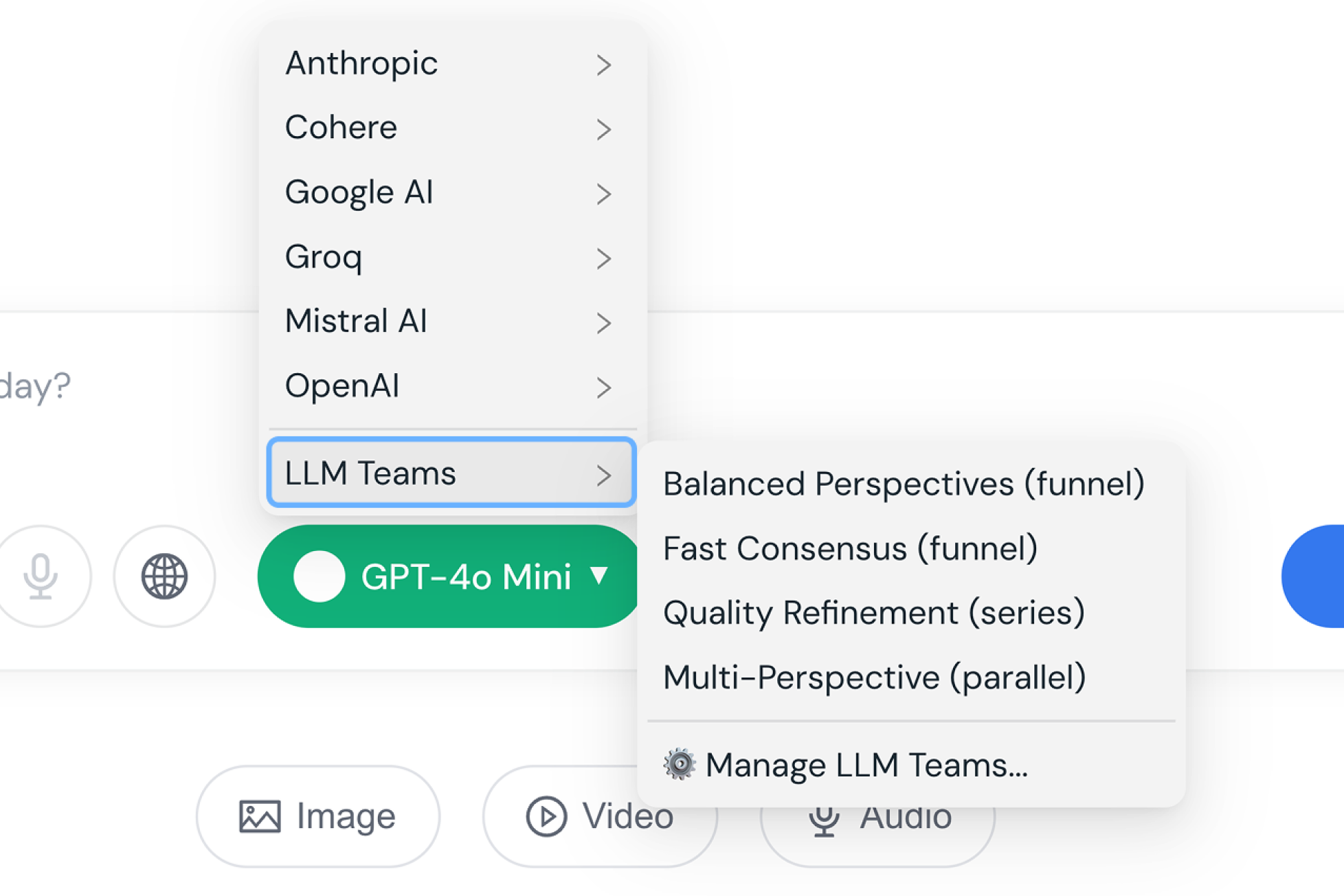
An LLM Team Like Never Before
Seamlessly switch between multiple LLMs within a single chat and combine the strengths of each to build your own custom LLM team. Multimodal capabilities—including image, video, and audio—are supported by default.
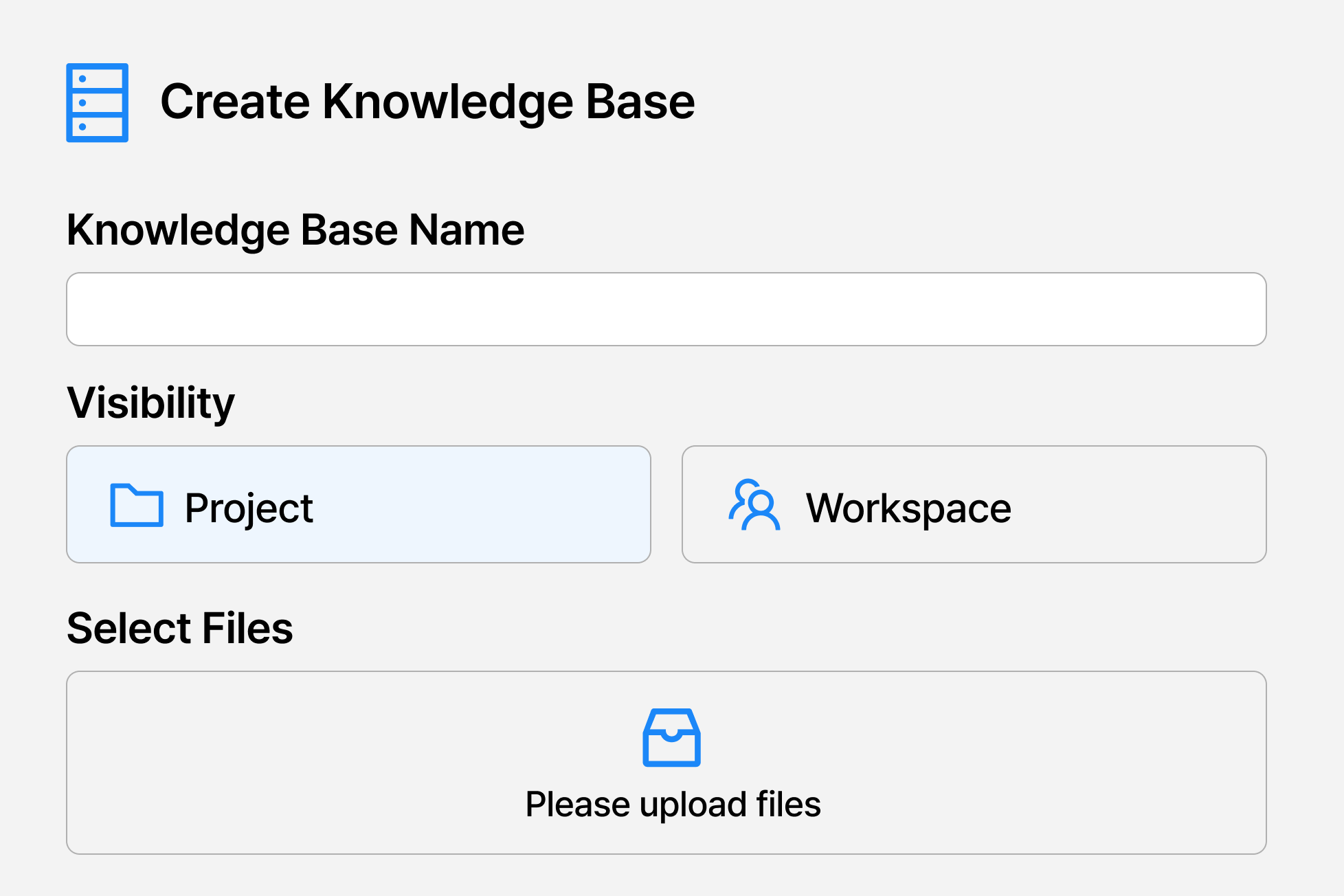
Effortless Knowledge Base Creation
Simply upload various types of data to instantly build your own knowledge base. Once created, it can be easily utilized by individuals or teams.
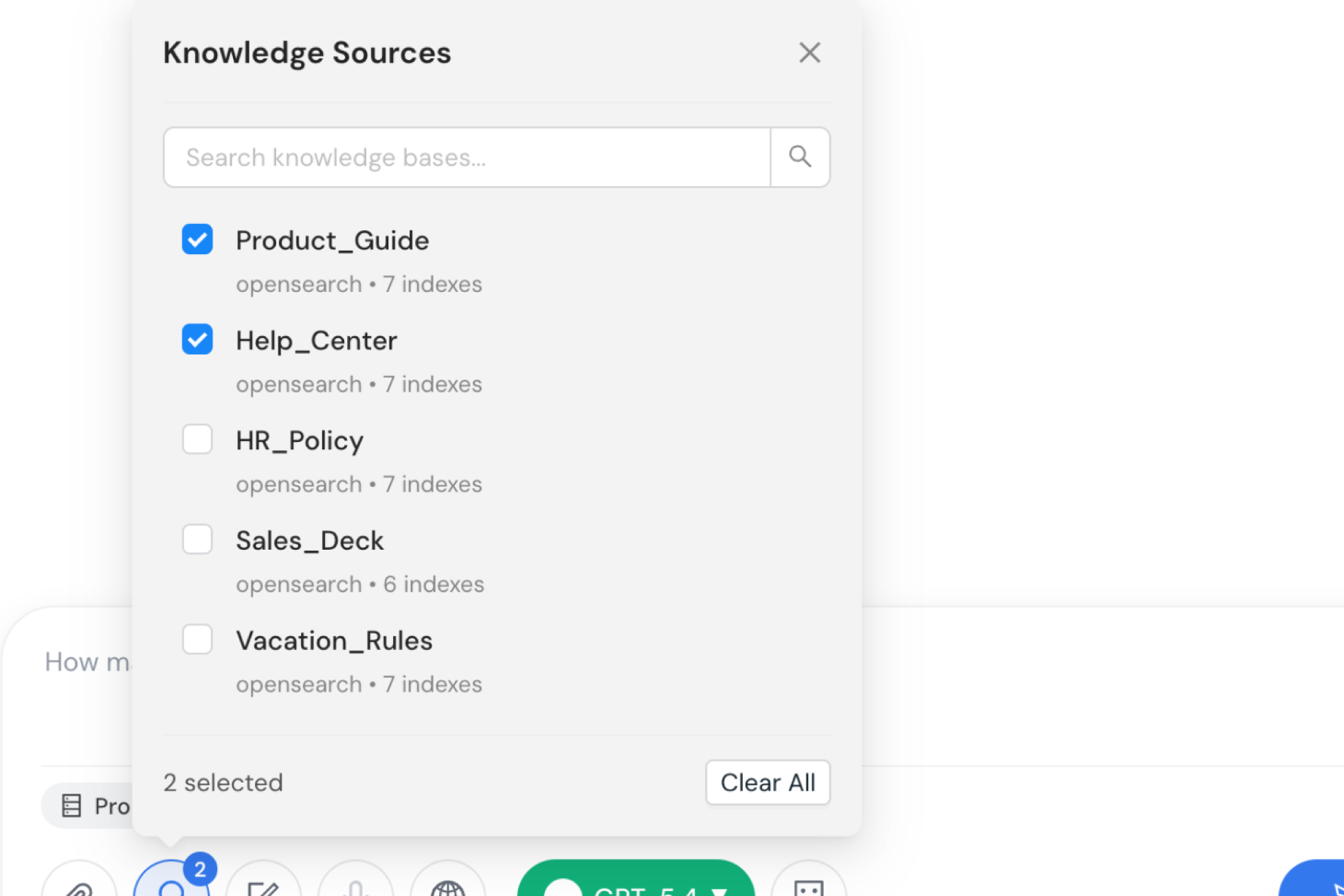
One-Click RAG
Apply your desired knowledge base to Super Chat with a single click. AI leverages your custom knowledge base to deliver more accurate and optimized responses than standard chat.
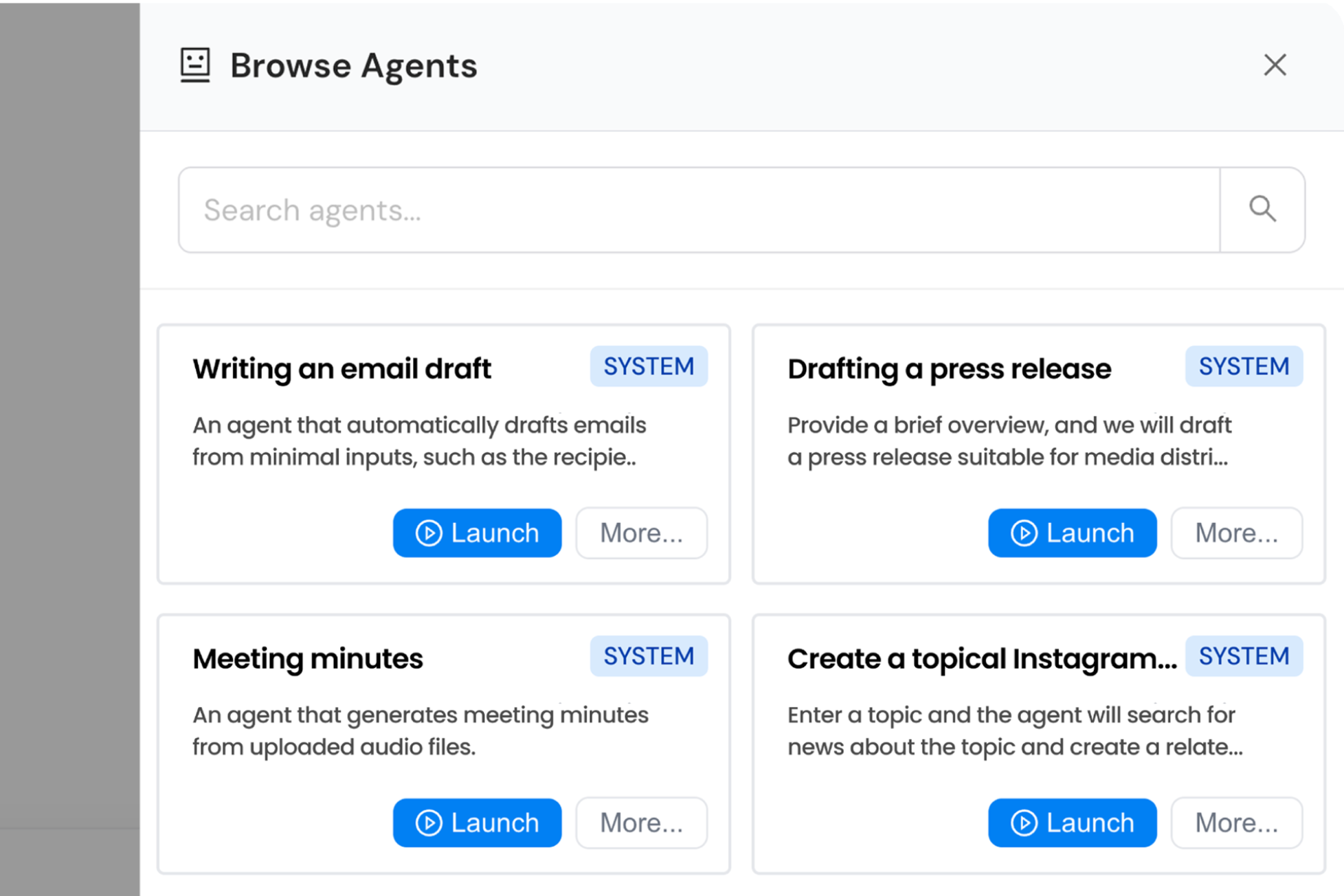
Ready-to-Use Agents
Access a wide range of agents designed for tasks like document processing, data analysis, and content creation. Automate repetitive workflows quickly and efficiently.
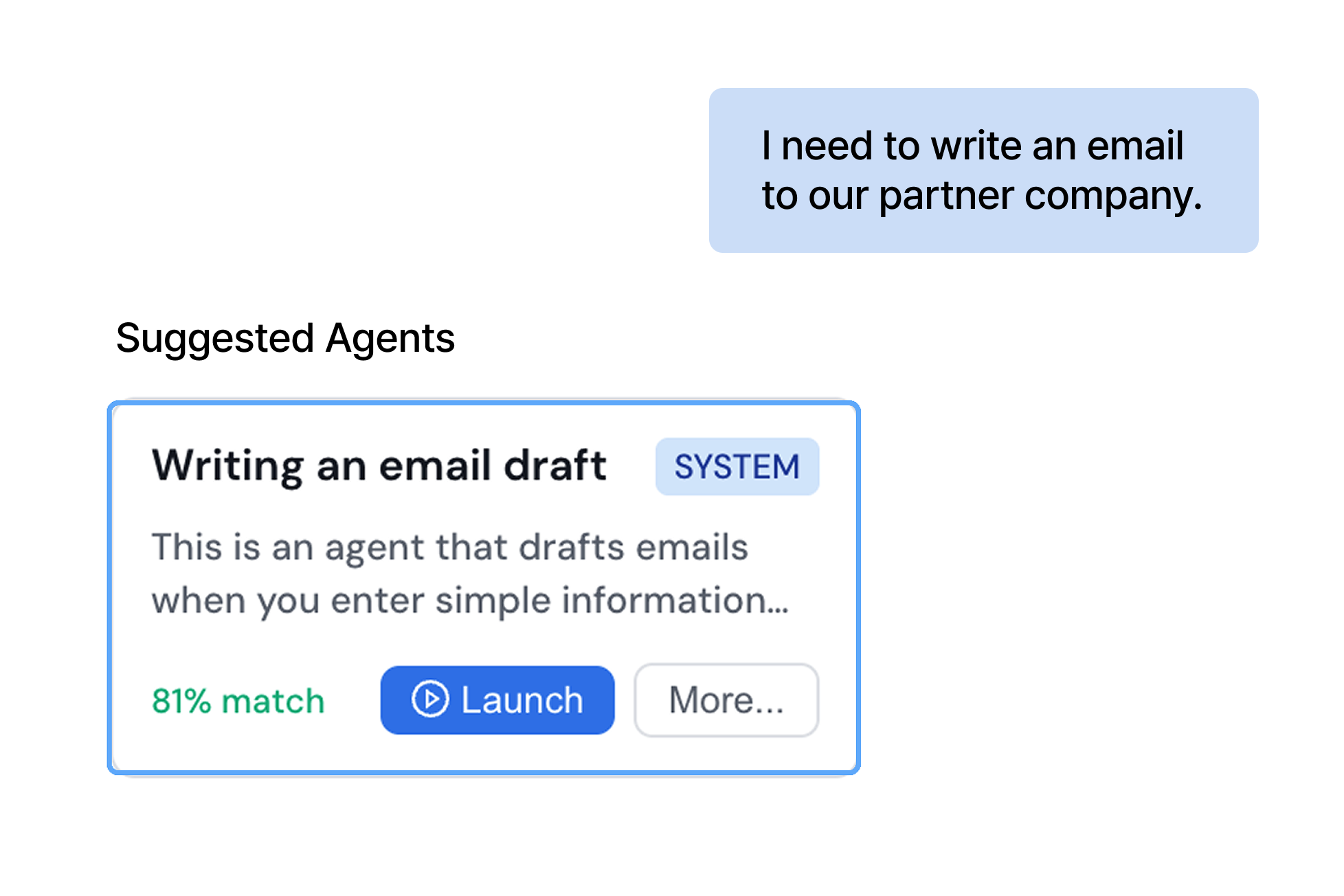
Smart Agent Recommendations
Analyze chat content to identify key intents and automatically recommend the most suitable agents. Instantly run recommended agents to boost both speed and accuracy.
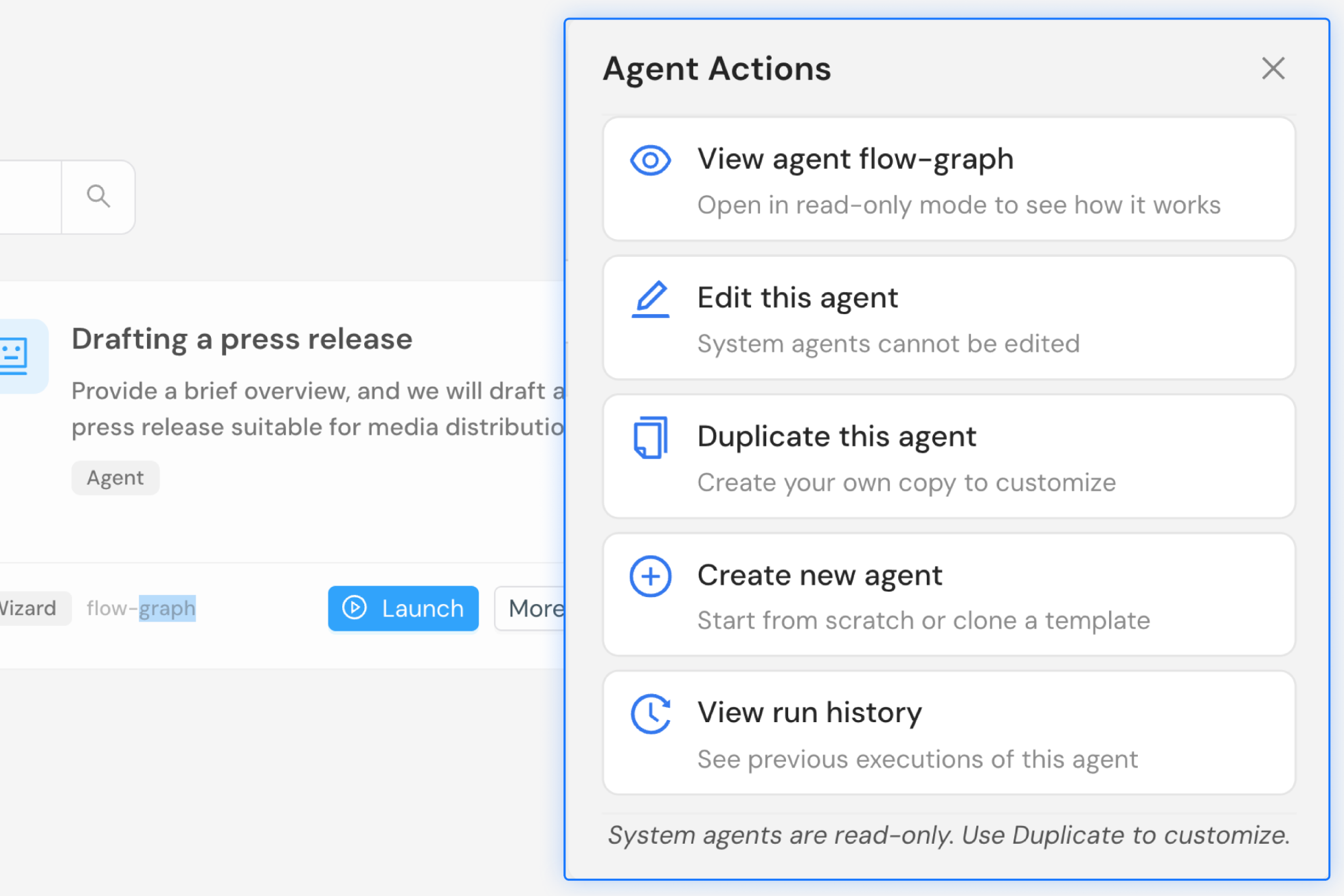
Expandable Agents
Experiment freely by modifying and extending existing agents. Learn from their structure and customize them to create agents tailored to your needs.
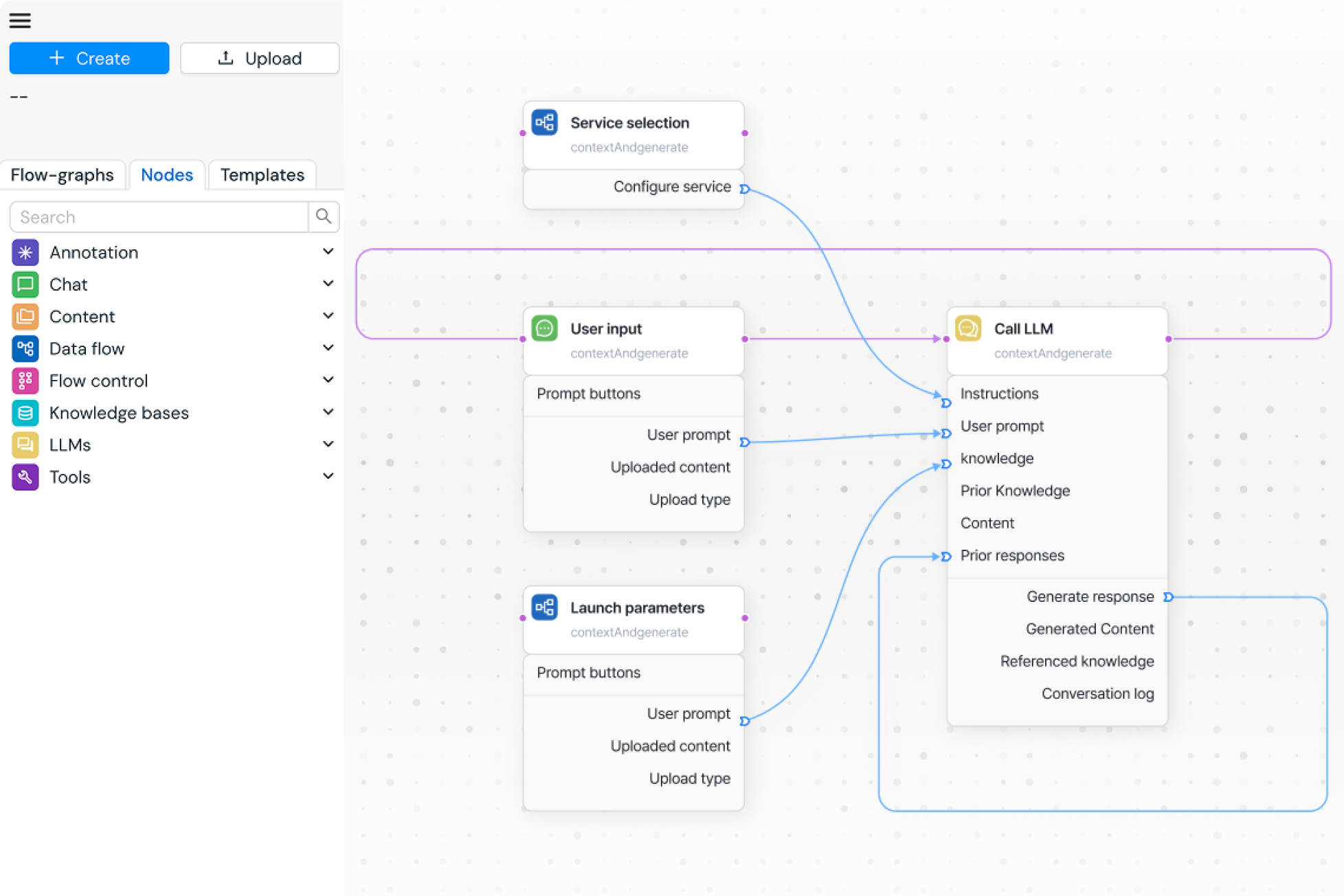
No-Code Workflow Design
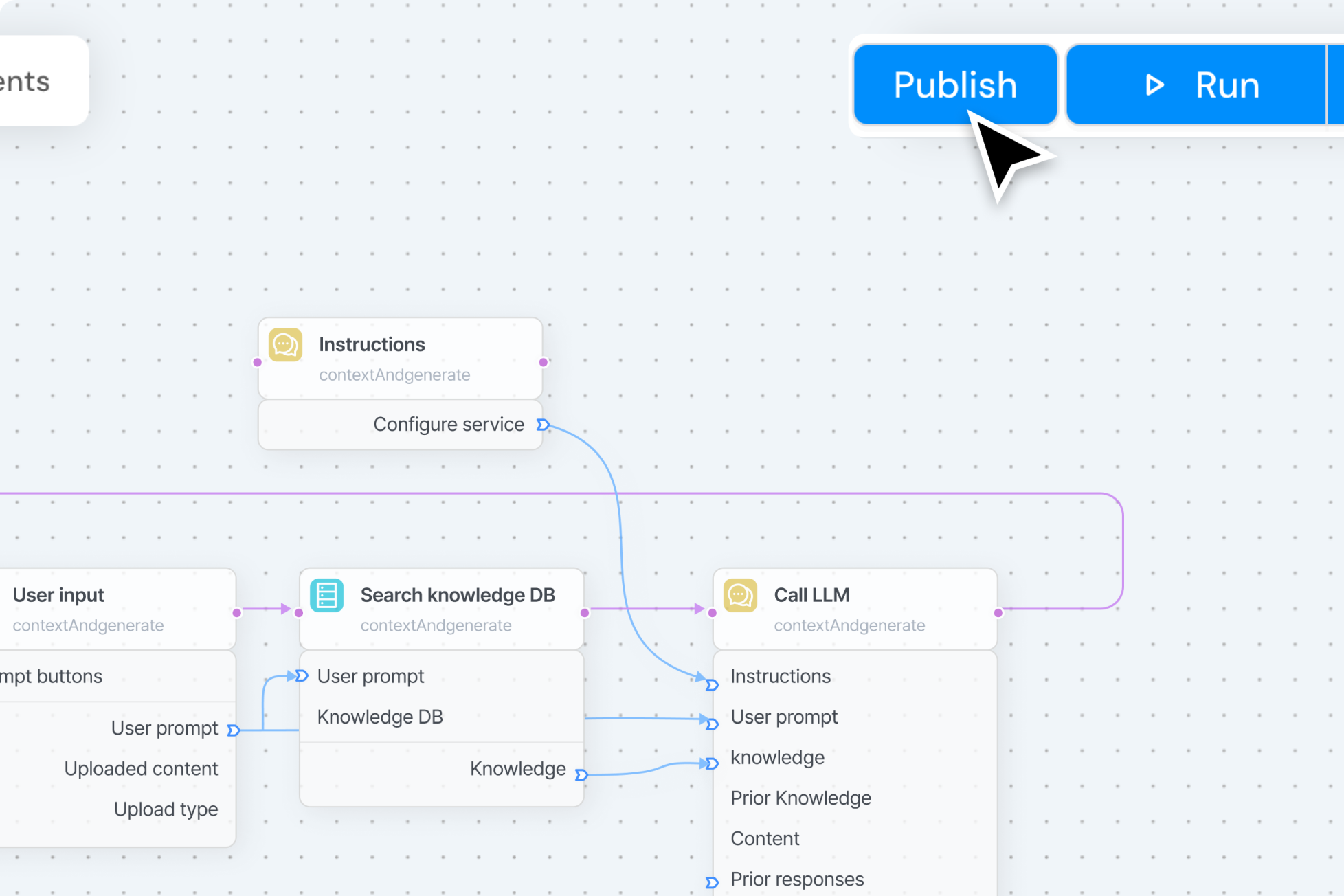
A creative workspace where you can design agents using nodes in an intuitive, code-free interface. From simple chatbots to complex systems, explore endless possibilities.
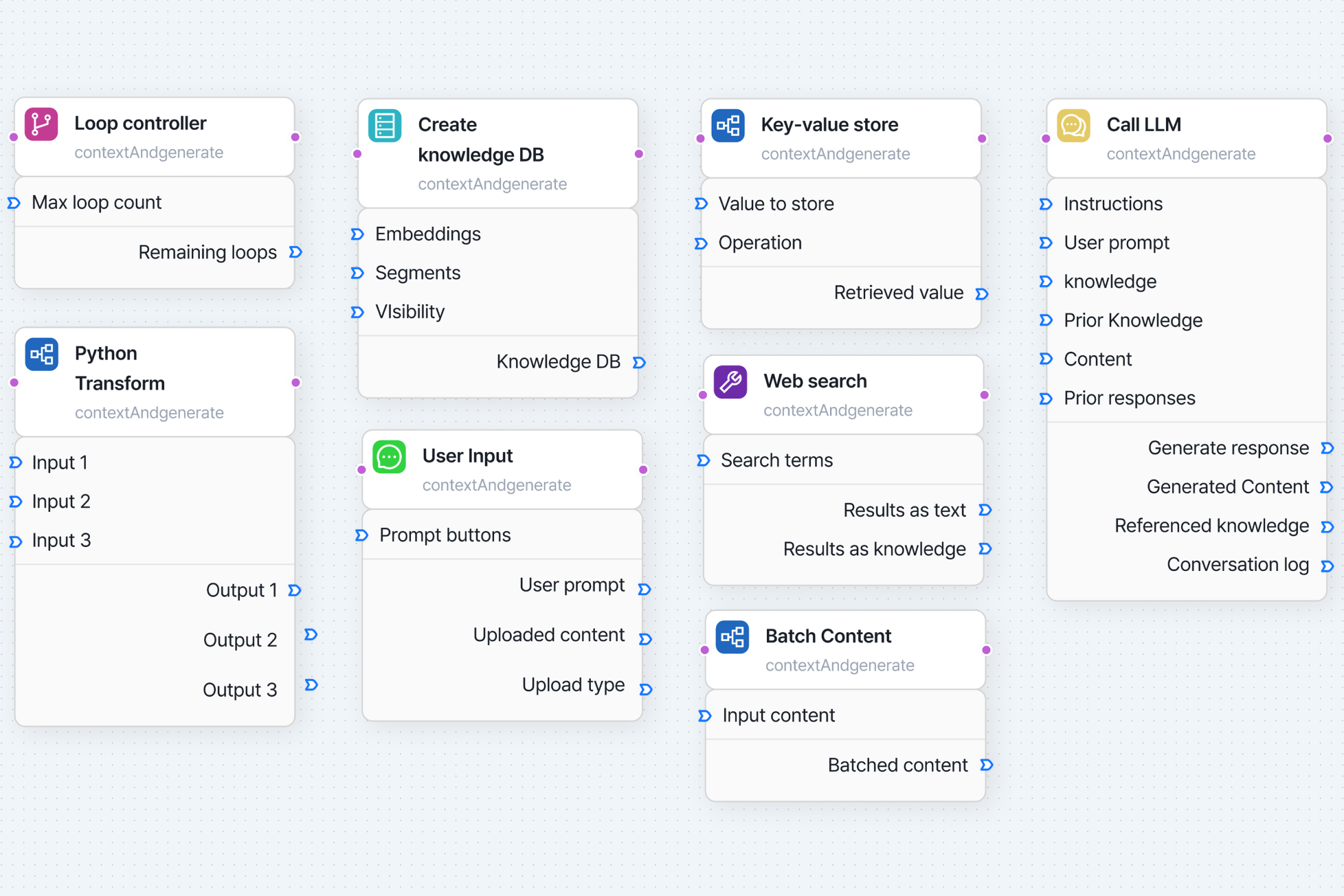
Agent Customization
Leverage over 40 different nodes to design and implement even the most complex agent logic with full flexibility.
One-Click Agent Deployment
Deploy your completed AI agents instantly with a single click. API endpoints are automatically generated, enabling immediate execution and easy sharing.
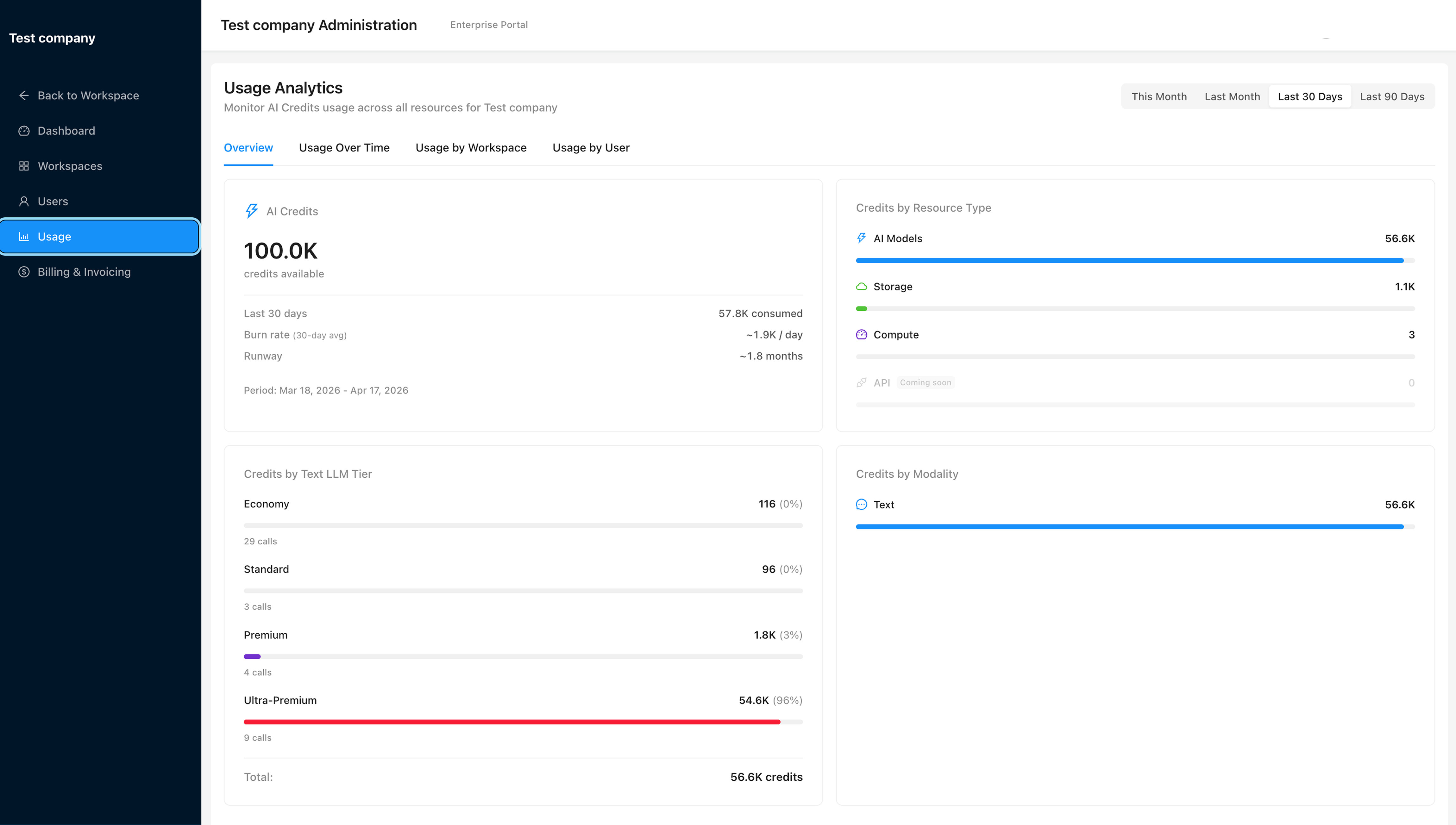
Admin dashboard for enterprise operations
Operations and management features for organizations
HyperWorks provides tools to monitor resource usage and credit consumption at a glance,
and systematically manage permissions and operational status.
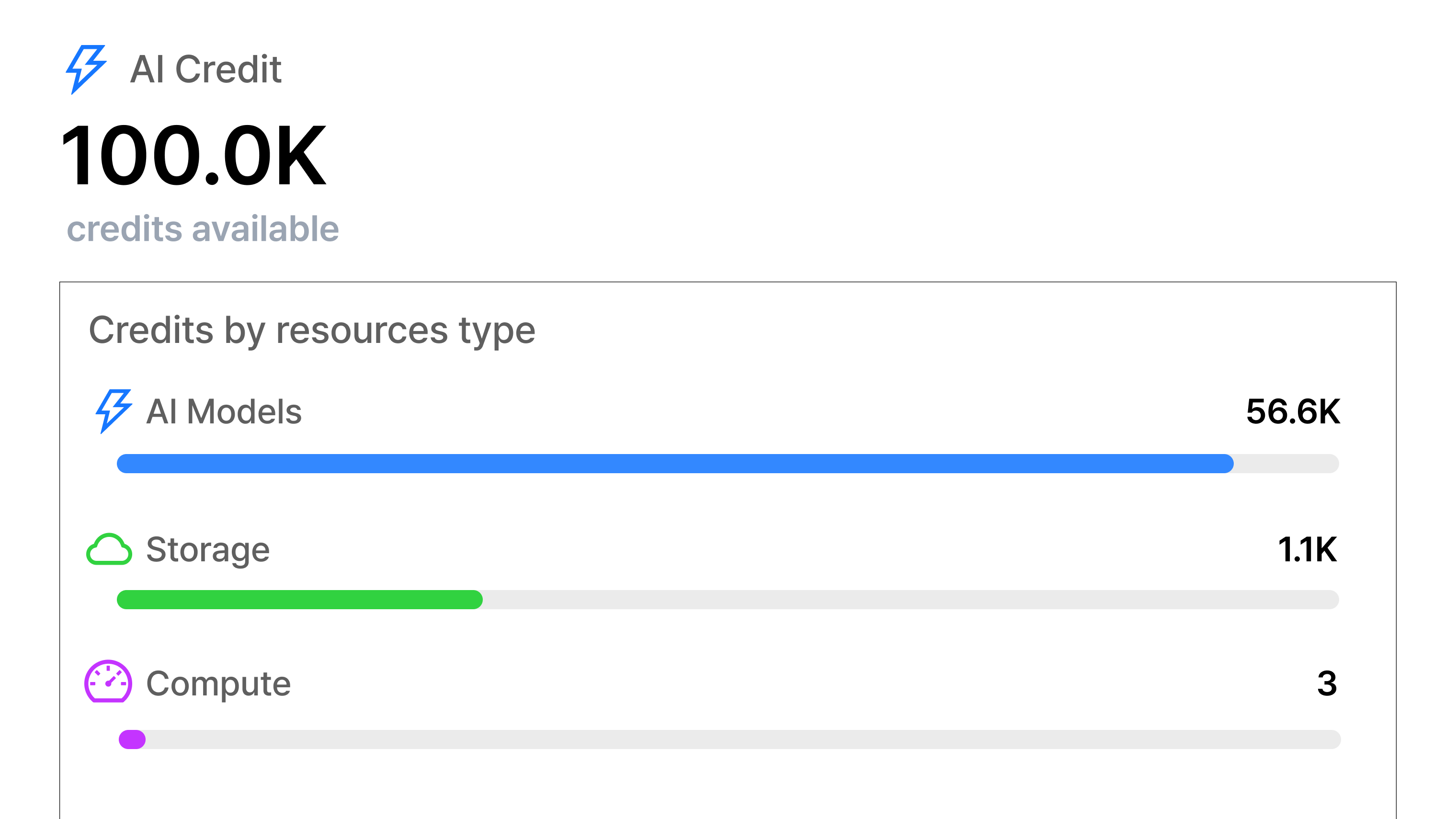
Organization-Wide Usage Monitoring
Monitor your organization’s total credit usage in real time through a dashboard, along with detailed insights into how credits are consumed across each component.
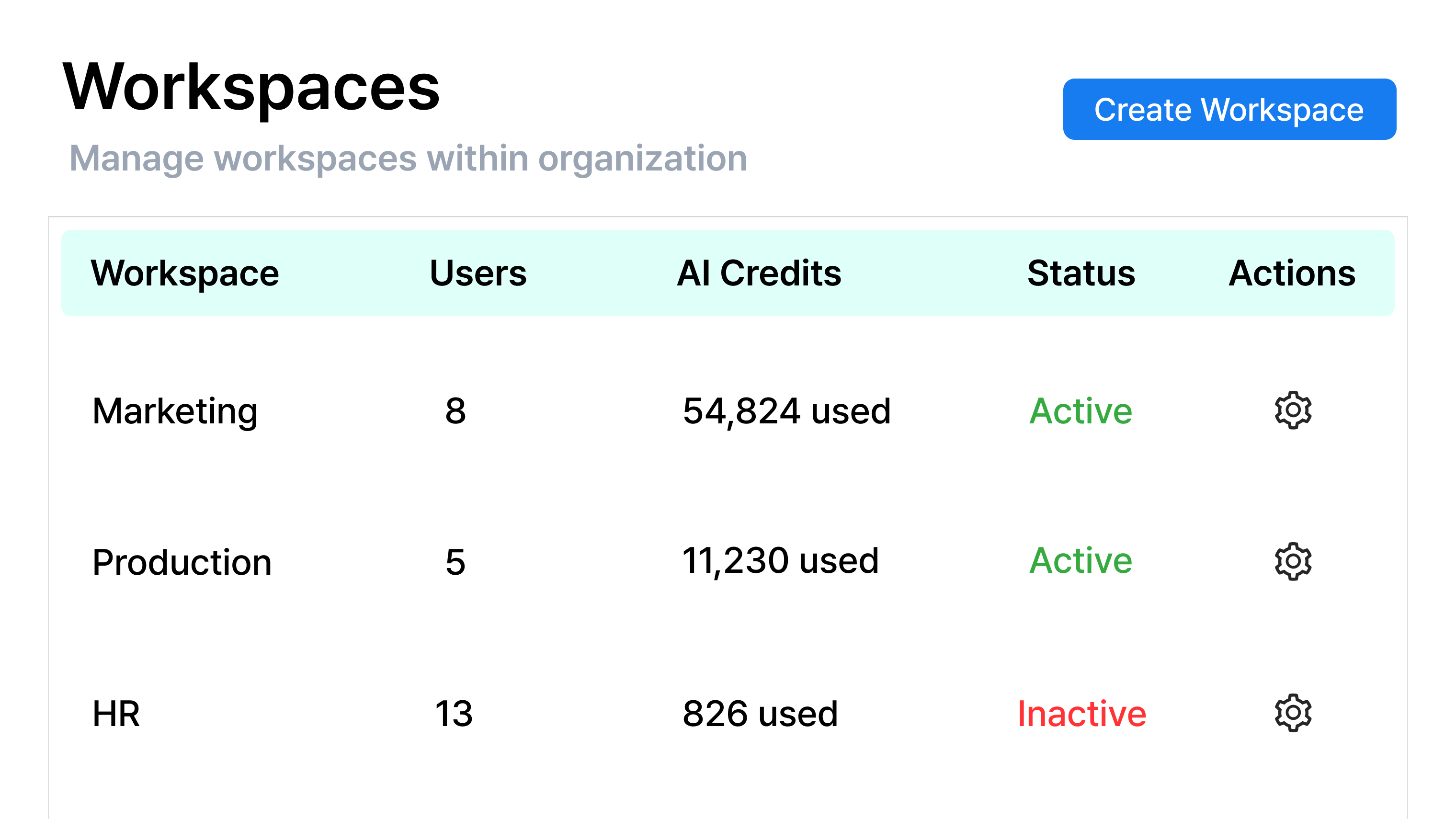
Workspace Management
Organize workspaces based on your company structure and manage members, permissions, and resources systematically. Ensure secure operations by controlling all uploaded content and conversations within each workspace.
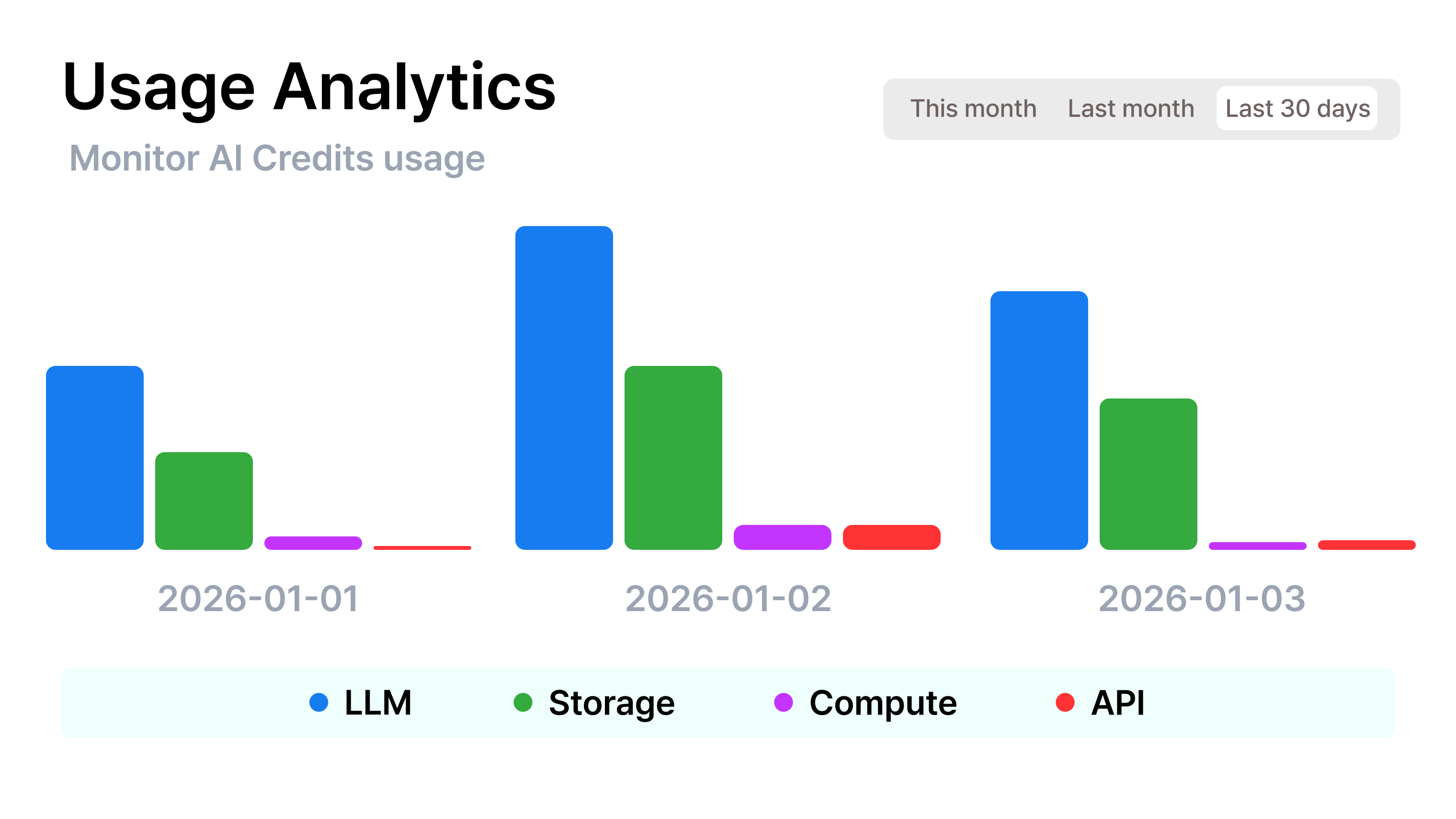
Granular Usage Analytics
Go beyond organization-level insights with detailed analytics by workspace and user. Identify usage patterns and cost drivers more precisely to optimize both operations and budgeting.
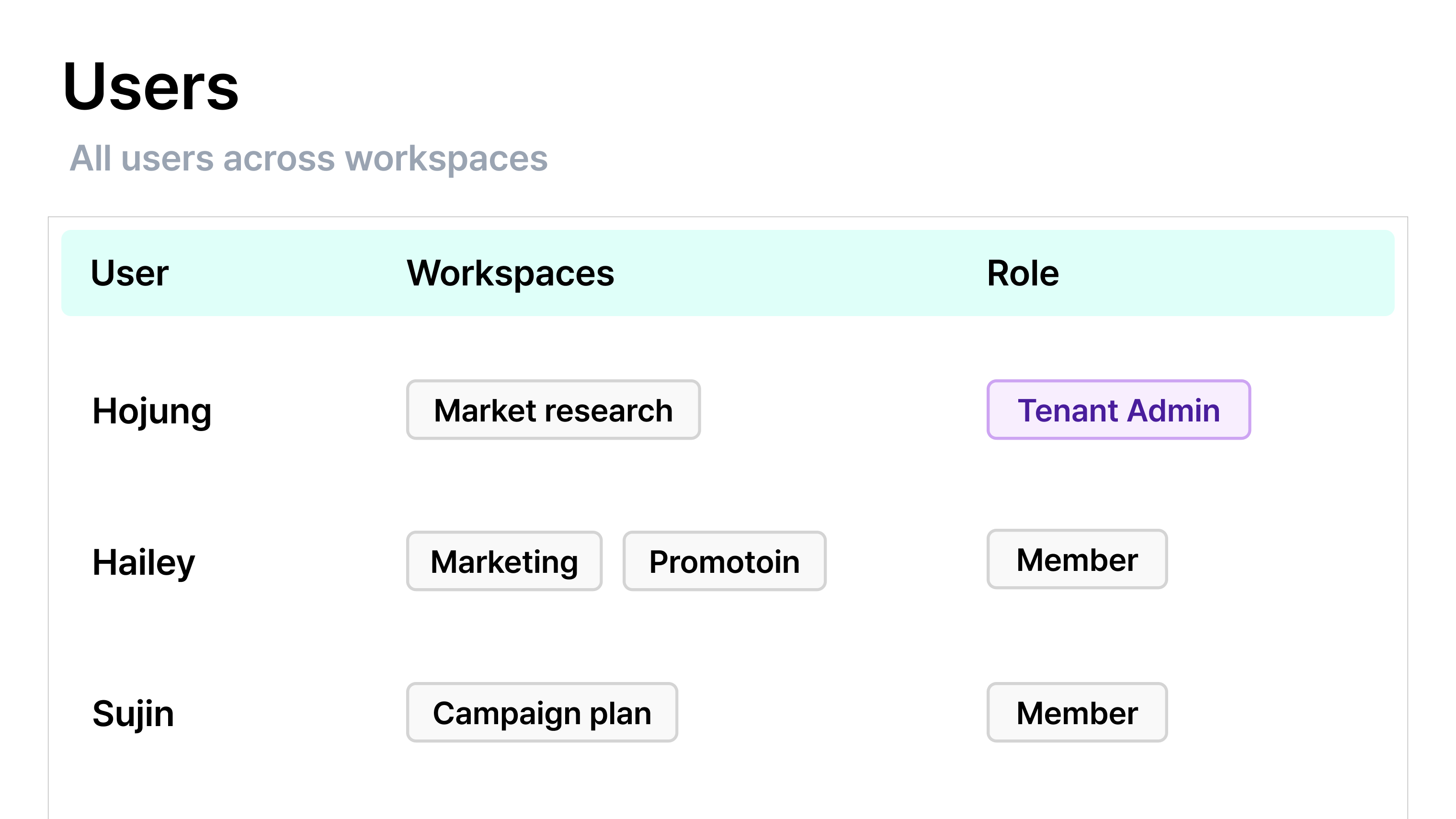
User Management
View and manage all users in your organization—including their workspace assignments, roles, and permissions—on a single screen.